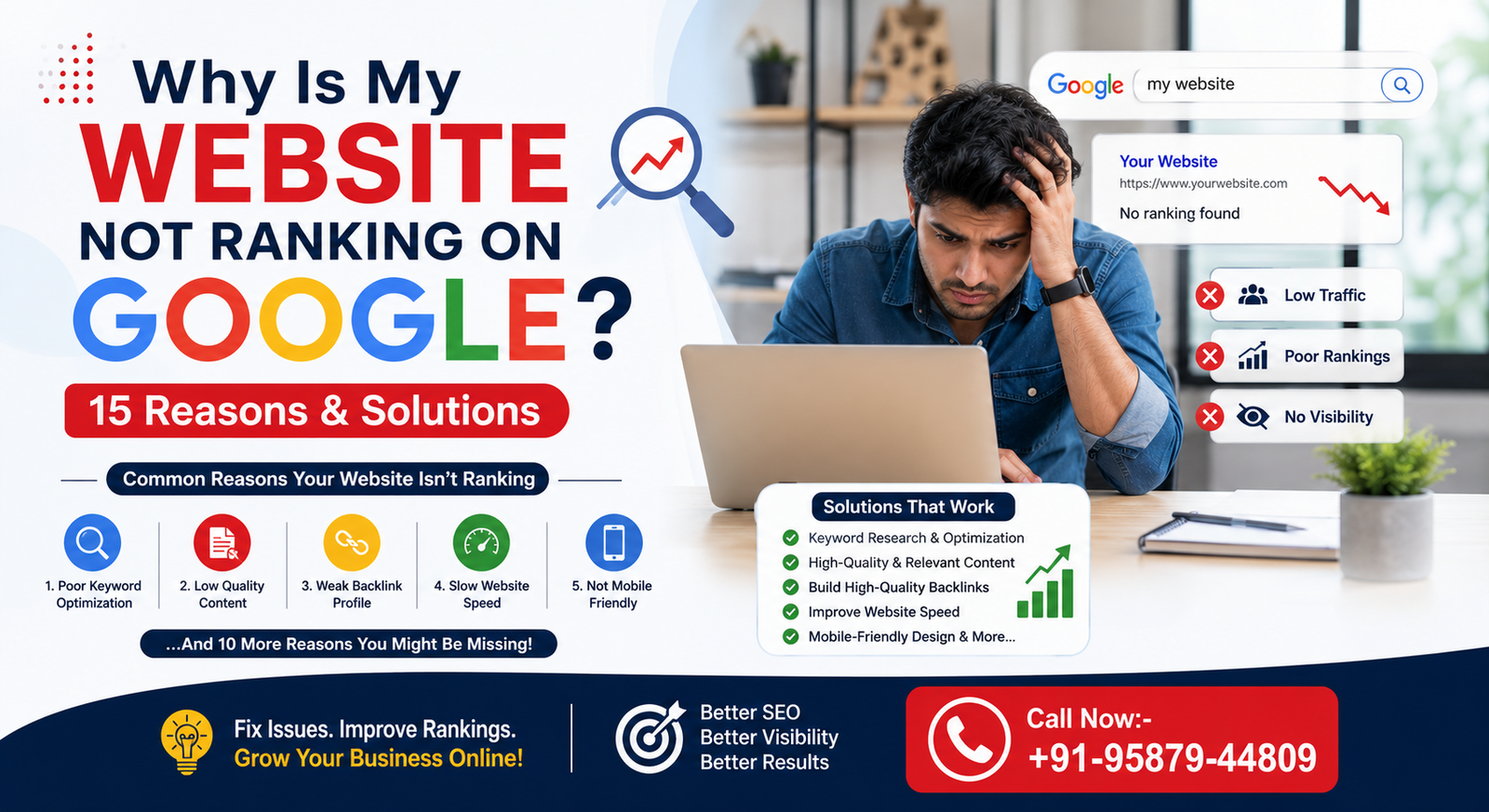
Why Is My Website Not Ranking on Google?
You launched your website, added a few pages, maybe even published a couple of blog posts — and then… nothing. No traffic, no rankings, no real movement on Google. If this sounds familiar, you’re not alone. It’s one of the most common frustrations business owners run into right after going live.
Here’s the thing though: there’s a real difference between “Google has indexed my website” and “my website is actually ranking on Google.” Indexing simply means Google knows your page exists. Ranking is a completely different game — it depends on relevance, quality, competition, and a dozen other signals working together.
A lot of people assume that stuffing a page with keywords is enough to get noticed. It isn’t. Google ranking today is shaped by technical SEO, genuine content quality, how well you match search intent, the strength of your backlinks, and how tough your competition happens to be.
In this guide, we’ll walk through 15 of the most common reasons websites fail to rank — along with practical, no-nonsense solutions for each one.
How Does Google Ranking Work?
Relevance
At the end of the day, Google just wants to pair up a search with whatever page answers it best. Which means your content has to clearly relate to what people are typing in — not just kind of, but obviously.”Understanding the user’s search intent — what they really want when they type a phrase — matters more than matching the exact keyword.
Content Quality
Google’s aim is to point people toward real answers. So your content can’t just skim the surface — it needs to be helpful, original, and thorough enough that the reader isn’t left hunting for more.
Website Experience
Beyond the words on the page, Google also looks closely at the experience around them:
- Is the site mobile-friendly?
- Does it load fast?
- Is navigation easy to follow?
- Is the website secure?
Authority and Trust
Finally, Google weighs how trustworthy your site appears — through relevant backlinks, your brand’s reputation, the consistency of your content, and how much real expertise you demonstrate in your industry.
15 Reasons Why Your Website Is Not Ranking on Google
1. Your Website Is Not Indexed by Google
Before you even think about ranking, Google needs to actually know your page exists.
How to Check if Your Website Is Indexed
- Use the URL Inspection tool inside Google Search Console.
- Run a simple `site:yourdomain.com` search to see what shows up.
- Check the Indexing report for a broader picture.
How to Fix Indexing Problems
- Submit your XML sitemap.
- Add internal links pointing to your important pages.
- Remove any accidental `noindex` tags.
- Double-check your robots.txt configuration.
- Resolve errors flagged in Google Search Console.
2. Your Website Is Too New
Why New Websites Take Time to Rank
New domains simply don’t carry much authority yet — no history, limited trust signals. Meanwhile, your competitors may already have years of established backlinks behind them. Google also needs time to properly evaluate a new website and its content before deciding where it belongs.
Solution
- Publish quality content consistently.
- Build a strong internal linking structure.
- Earn genuinely relevant backlinks.
- Start with long-tail keywords rather than the big, obvious ones.
- Keep an eye on performance regularly instead of checking once and forgetting.
3. You Are Targeting the Wrong Keywords
Why High-Volume Keywords Can Be Difficult
Think about terms like:
- Digital marketing
- SEO
- Web development
- Digital marketing company
For a brand-new website, trying to rank directly for these extremely competitive keywords is an uphill battle — often not even worth attempting right away.
Better Keyword Strategy
Instead, aim for:
- Long-tail keywords
- Location-based keywords
- Problem-based keywords
- Commercial-intent keywords
- Industry-specific search terms
Example
A smarter move than targeting plain old ‘SEO’ is picking something specific — say, ‘SEO services for small businesses in Jaipur.’ It won’t turn heads, but it’s a fight you can actually win.
4. Your Content Does Not Match Search Intent
What Is Search Intent?
There are four broad types of intent behind any search:
- Informational — the user wants to learn something.
- Commercial — the user is comparing options before buying.
- Transactional — the user is ready to take action or purchase.
- Navigational — the user is looking for a specific website or brand.
How to Match Search Intent
Take a close look at Google’s current top-ranking pages for your target keyword and ask:
- What format is the content in?
- What’s the searcher’s main question, really?
- Is it a listicle, a guide, a comparison, or a service page that’s ranking?
- What does the searcher need to do next?
Solution
Build your content around the user’s actual intent — not just around the keyword itself.
5. Your Content Is Too Thin
Signs of Thin Content
- The content is very short.
- Important questions go unanswered.
- Information feels generic, like it could apply to anyone.
- No real examples.
- No original insight or perspective.
- The reader ends up having to visit another website to actually get their answer.
How to Improve Thin Content
- Cover the topic comprehensively — don’t skim the surface.
- Add real, concrete examples.
- Include relevant FAQs.
- Bring in original experience and genuine expertise.
- Don’t pad the word count just for the sake of it.
Important: Hitting 1,500 words doesn’t automatically guarantee better rankings. What actually matters is how useful and relevant your content is.
6. Your Competitors Have Better Content
What Should You Compare?
Take a hard look at the pages currently outranking you:
- What topics do they cover?
- How deep does the content go?
- Do they have FAQs?
- Are there real examples?
- What about images?
- How’s their internal linking?
- What’s the overall user experience like?
- How much expertise comes through?
Solution
Don’t copy competitor content — that’s a dead end. Instead, ask yourself a better question:
“What’s missing from the top-ranking pages that I could explain better?”
7. Your Website Has Technical SEO Problems
Common Technical SEO Issues
- Broken links.
- Incorrect redirects.
- Duplicate URLs.
- Canonical tag problems.
- Pages accidentally marked noindex.
- Crawl errors.
- Poor website architecture.
- Sitemap issues.
How to Fix Technical SEO Issues
Run a regular technical SEO audit and keep monitoring crawl and indexing issues through Google Search Console.
The Digital Socialite includes website audits alongside on-page, off-page, local, and technical SEO as part of its overall SEO services.
8. Your Website Is Too Slow
Why Website Speed Matters
A slow website drags down user experience and pushes visitors to leave the page before it even finishes loading.
Common Reasons for Slow Websites
- Large, unoptimized images.
- Unnecessary plugins.
- Heavy JavaScript.
- Poor hosting.
- Too many third-party scripts.
- Unoptimized code.
How to Improve Page Speed
- Compress images properly.
- Switch to modern image formats.
- Remove plugins you don’t actually need.
- Use browser and server caching.
- Review your hosting performance.
- Test important pages regularly, not just once.
9. Your Website Is Not Mobile-Friendly
Common Mobile SEO Problems
- Text that’s too small to read comfortably.
- Navigation that’s hard to use with a thumb.
- Buttons crammed too close together.
- Horizontal scrolling.
- Slow-loading mobile pages.
- Forms that are a pain to fill out on a phone.
Solution
Use a responsive, mobile-first design, and actually test your important pages across different screen sizes rather than assuming they work.
10. Your On-Page SEO Is Weak
Important On-Page SEO Elements
- SEO title.
- Meta description.
- H1 heading.
- H2/H3 structure.
- URL.
- Keyword placement.
- Image alt text.
- Internal links.
How to Improve On-Page SEO
Clearly define the primary topic of every page, and optimise your headings and content in a way that still reads naturally.
Avoid Keyword Stuffing
Rather than repeating the same keyword over and over, use related terms and natural language. Google — and your readers — can tell the difference.
11. Your Internal Linking Is Poor
Why Internal Links Matter
Internal links help search engines understand:
- Your website’s structure.
- How topics relate to each other.
- Which pages matter most.
- The relationship between different pieces of content.
Internal Linking Strategy
For example:
SEO Blog → SEO Service Page → Local SEO Page → Digital Marketing Service Page
The Digital Socialite’s website has SEO, digital marketing, and related service pages that can be connected through relevant, contextual internal links.
Best Practices
- Use relevant anchor text.
- Link related pages naturally, not forcibly.
- Connect important commercial pages to supporting blog content.
- Don’t overload every page with unnecessary links.
12. Your Website Has Few or Low-Quality Backlinks
Why Backlinks Matter
Links earned from relevant, trustworthy websites help support your site’s overall authority.
Bad Backlink Practices to Avoid
- Spammy backlinks.
- Link farms.
- Irrelevant directories.
- Automated link-building.
- Excessive exact-match anchor text.
Better Link-Building Strategies
- Original research.
- Genuinely useful industry guides.
- Digital PR.
- Relevant business partnerships.
- High-quality resources worth linking to.
- Real contributions from real experts.
13. Your Website Has Duplicate Content or Keyword Cannibalization
What Is Keyword Cannibalization?
This happens when multiple pages on your own site target the same or very similar search intent — and end up competing against each other instead of against your actual competitors.
Example
- SEO Company in Jaipur
- Best SEO Company in Jaipur
- Top SEO Company Jaipur
- SEO Agency in Jaipur
If these pages all serve nearly the same purpose, it’s important to identify one clear, primary page.
How to Fix It
- Keep one primary page per search intent.
- Consolidate overlapping articles.
- Remove or redirect unnecessary duplicate pages.
- Improve internal linking.
- Use canonical tags where appropriate.
14. Your Local SEO Signals Are Weak
If your business targets Jaipur or any specific city, local SEO can make or break your visibility.
Local SEO Elements to Check
- Google Business Profile.
- Local keywords.
- Consistency of business information.
- Reviews.
- Local citations.
- Location pages.
- Local backlinks.
How to Improve Local SEO
- Optimise your Google Business Profile.
- Encourage genuine customer reviews.
- Keep your business information consistent everywhere it appears.
- Publish relevant local content.
- Clearly explain your location-specific services.
The Digital Socialite currently offers Local SEO as part of its SEO services, including local search visibility and Google Maps-focused optimisation.
15. You Are Not Using Google Search Console Properly
What Google Search Console Can Tell You
- Search queries.
- Impressions.
- Clicks.
- CTR.
- Average position.
- Indexing status.
- Page performance.
Find “Almost Ranking” Pages
Look for pages sitting roughly between positions 8 and 30. These are often your biggest opportunity — they’re close, but not quite there.
What to Improve
- Search intent alignment.
- Title.
- Content quality.
- Internal links.
- Supporting sections.
- FAQs.
- On-page SEO.
How to Find the Exact Reason Your Website Is Not Ranking
Step 1: Check Google Search Console
Look at:
- Indexing.
- Search performance.
- Manual actions.
- Page experience.
- Core Web Vitals.
Step 2: Perform a Technical SEO Audit
Review:
- Crawlability.
- Indexability.
- Robots.txt.
- XML sitemap.
- Canonical tags.
- Redirects.
- Broken links.
Step 3: Analyse Your Competitors
Compare:
- Keywords.
- Content depth.
- Backlinks.
- Page structure.
- Search intent.
- Internal links.
Step 4: Audit Your Content
Ask yourself honestly:
“Does my page currently provide a more useful and relevant answer than the pages that are already ranking?”
If the answer is no, it’s time to improve the content.
Step 5: Create a Page-Level SEO Action Plan
| Problem | Priority | Recommended Solution |
| Page not indexed | High | Fix indexing |
| Slow website | High | Improve performance |
| Wrong keyword | High | Rework keyword strategy |
| Thin content | Medium | Add useful information |
| Poor internal links | Medium | Add contextual links |
| Duplicate content | High | Consolidate pages |
| Weak backlinks | Medium | Earn relevant links |
| Weak local SEO | Medium | Improve local signals |
Why Is My Website Ranking on Page 2 but Not Page 1?
Improve Search Intent
Check whether your content genuinely matches what users are looking for.
Improve Content Quality
Add missing information, real examples, FAQs, and original insight.
Strengthen Internal Links
Link relevant supporting pages back to the page you’re trying to boost.
Improve Title and CTR
If impressions are high but clicks are low, that’s usually a title problem — test something clearer and more compelling.
Build Relevant Authority
Earn quality links and mentions from websites that are actually relevant to you.
Why Did My Website Suddenly Lose Google Rankings?
Check Google Search Console
Compare your recent clicks, impressions, and queries against the previous period.
Check Recent Website Changes
Look for:
- A website redesign.
- URL changes.
- Plugin updates.
- Robots.txt changes.
- Noindex tags.
- Redirect problems.
Check Content Changes
Review whether important pages were:
- Deleted.
- Shortened.
- Rewritten.
- Moved to new URLs.
Don’t Panic After a Short-Term Fluctuation
Ranking fluctuations happen — that’s just how search works sometimes. Figure out first whether the drop is temporary or a sustained trend before making any major changes.
Read Also:-How to Boost Your Website Traffic
How Long Does It Take to Rank on Google?
New Websites
New websites generally need time to build visibility, authority, and trust signals — there’s no shortcut around that.
Existing Websites
Established websites often see faster improvements once specific technical or content issues get fixed.
Competitive Keywords
Highly competitive keywords usually require a combination of:
- Strong content.
- Technical SEO.
- Quality backlinks.
- Search-intent optimisation.
- Consistent, ongoing SEO work.
Content writer note: Avoid promising a fixed number of days or guaranteed first-page rankings — nobody can honestly make that promise.
SEO Recovery Checklist
- Check whether important pages are indexed.
- Review Google Search Console.
- Audit technical SEO.
- Research relevant keywords.
- Match search intent.
- Improve content quality.
- Optimise titles and headings.
- Improve internal linking.
- Fix broken links.
- Improve mobile experience.
- Improve page speed.
- Review duplicate or cannibalised content.
- Strengthen local SEO.
- Earn relevant backlinks.
- Monitor rankings and organic traffic.
When Should You Hire an SEO Company?
Consider bringing in professional SEO support if:
- Your website has multiple technical SEO problems.
- Organic traffic keeps declining.
- Your own pages are competing with each other for the same keywords.
- Competitors consistently outrank you.
- You don’t have in-house SEO expertise.
- You need a long-term SEO strategy.
- You simply don’t have time for regular audits and optimisation.
The Digital Socialite currently offers SEO services covering areas such as on-page SEO, technical SEO, local SEO, keyword strategy, link building, and site audits.
Why Choose The Digital Socialite for SEO?
Technical SEO
Identifying and optimising website structure, crawlability, indexing, and technical issues.
On-Page SEO
- Keyword research.
- Titles.
- Headings.
- Content optimisation.
- Internal linking.
Local SEO
- Google Business Profile.
- Local keywords.
- Local visibility.
- Google Maps presence.
Content Strategy
Content planning that considers search intent and real user needs, not just search volume.
SEO Performance Monitoring
Identifying pages based on search data and continuously optimising from there.
The Digital Socialite’s website describes SEO, technical SEO, local SEO, keyword research, link building, and site audit services.
Why is my website not ranking even after SEO?
Frequently Asked Questions
Possible reasons include weak content, wrong keyword targeting, indexing problems, technical SEO issues, poor search-intent alignment, limited authority, or strong competition.
Q.1Why is my website indexed but not ranking?
Ans.Being indexed just means Google has added your page to its index. Ranking is a separate process that depends on relevance, quality, competition, authority, and many other signals.
Q.2How long does Google take to rank a new website?
Ans.There’s no fixed timeframe. Results vary depending on competition, website quality, content, authority, and the keywords you’re targeting.
Q.3Why is my website ranking on page 2?
Ans.Ranking on page 2 means Google already sees your page as relevant — but compared to your competitors, it may need stronger relevance, content, authority, or user experience signals to move up.
Q.4Can backlinks improve Google rankings?
Ans.Relevant, high-quality backlinks can support your website’s authority, but backlinks alone don’t guarantee rankings.
Q.5Does publishing more blogs improve rankings?
Ans.Just publishing more blogs isn’t enough on its own. What actually matters is useful, original, search-intent-focused content.
Q.6Can an SEO agency guarantee #1 ranking on Google?
Ans.No legitimate SEO agency should guarantee a fixed #1 Google ranking. SEO involves multiple factors that no agency can fully control.
Conclusion: Fix the Problem Before Adding More SEO
If your website isn’t ranking on Google, the answer isn’t simply “more keywords” or “more blogs.”
Start by identifying what the actual problem is — indexing, technical SEO, search intent, content quality, competition, internal linking, backlinks, mobile performance, or local SEO.
Use Google Search Console, competitor research, and a proper technical/content audit to pinpoint the issue. Then systematically optimise the pages with the highest potential.
A successful SEO strategy shouldn’t focus on rankings alone — it should focus on relevant organic traffic, qualified leads, and long-term business growth.